
OLED Monitors for Professional Work: Burn-In, Brightness, Colour Accuracy and Proper Care
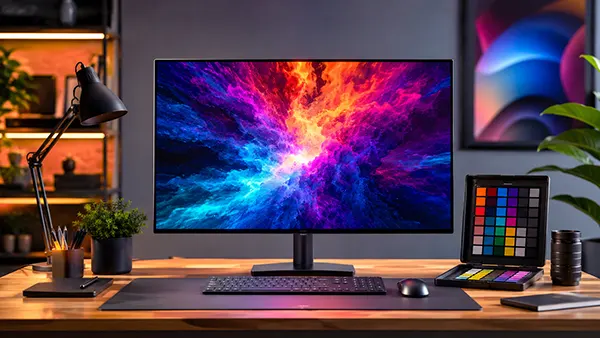
OLED monitors have become a serious option for professional workstations in 2026, especially among designers, photographers, video editors and developers who require accurate image reproduction and deep contrast. Unlike traditional IPS or VA displays, OLED technology delivers individually illuminated pixels, which allows true black levels and extremely fast response times. Over the last two years, manufacturers such as ASUS, Dell, LG, Samsung and MSI have improved panel longevity, cooling systems and brightness management, making OLED displays more practical for daily office and creative tasks.
Why OLED Monitors Are Becoming Popular for Professional Work
Modern OLED monitors provide image quality that many professionals previously associated only with high-end reference displays. Colour depth, black uniformity and pixel-level lighting create a more natural visual experience during photo editing, colour grading and content production. This is especially noticeable when working with HDR video or dark interface elements where IPS glow often becomes distracting.
Another important factor is response speed. OLED panels can achieve near-instant pixel transitions, reducing motion blur during animation work, video editing timelines and gaming-related production. Even outside entertainment, smoother movement on screen can reduce visual fatigue during long working sessions. Many 2026 OLED models now support refresh rates between 120 Hz and 240 Hz while maintaining professional-grade colour accuracy.
Manufacturers have also improved text rendering and subpixel layouts. Earlier OLED monitors occasionally produced colour fringing around small fonts, especially on Windows systems. Newer generations with updated pixel structures and advanced ClearType optimisation have reduced these issues significantly. As a result, OLED displays are now more comfortable for coding, spreadsheet work and long-form writing than earlier models released before 2024.
Key Differences Between OLED and IPS Panels
The most obvious difference is contrast performance. OLED monitors can switch off individual pixels completely, creating true black areas without backlight bleeding. IPS panels still rely on backlighting, so dark scenes usually appear greyish in comparison. For video editors and photographers, this difference can influence how shadows and contrast are perceived during post-production.
Brightness behaviour also differs considerably. IPS displays often maintain high full-screen brightness continuously, while OLED monitors typically use automatic brightness limiting systems to control heat and panel wear. This means OLED monitors may reduce brightness slightly when displaying large white areas such as documents or browser windows. In 2026, however, many premium OLED displays have improved thermal designs that minimise this effect during normal productivity work.
Colour reproduction remains one of OLED’s strongest advantages. Many OLED monitors cover 99% or more of the DCI-P3 colour space and offer extremely accurate factory calibration. For professionals working in Adobe RGB or HDR production environments, this level of colour precision can reduce the need for external reference displays. IPS technology still remains relevant for users who prioritise maximum brightness consistency and lower purchase costs.
Understanding OLED Burn-In and How Serious It Is in 2026
Burn-in remains the most discussed concern surrounding OLED monitors. This phenomenon occurs when static elements such as taskbars, logos or interface panels remain visible for long periods, gradually causing uneven pixel wear. Early OLED displays suffered more heavily from this issue, particularly during continuous desktop usage with fixed interface elements.
By 2026, the situation has improved considerably. Most modern OLED monitors include multiple protection systems such as pixel shifting, logo dimming, automatic refresh cycles and intelligent brightness control. These technologies distribute pixel usage more evenly and reduce long-term stress on specific screen areas. Brands now openly advertise expected panel lifespan figures that are substantially higher than those of first-generation OLED desktop monitors.
Independent long-term testing from review laboratories and display specialists also suggests that moderate office use rarely produces severe burn-in within the first several years of ownership. Problems are more likely when users leave static applications open at maximum brightness for extremely long sessions every day. Continuous financial dashboards, fixed surveillance layouts or permanently visible editing timelines can still accelerate uneven pixel ageing if preventive measures are ignored.
Practical Methods to Reduce Burn-In Risk
One of the simplest ways to protect an OLED monitor is enabling automatic screen sleep settings. Allowing the display to switch off after several minutes of inactivity significantly reduces unnecessary pixel wear. Using dark mode in operating systems and software can also decrease stress on bright interface regions, particularly during long workdays.
Many professionals now rotate window layouts or enable auto-hiding taskbars to avoid static interface positioning. While modern OLED panels are far more resistant than earlier generations, changing the location of fixed elements still helps distribute pixel usage more evenly over time. Some monitors additionally perform automatic compensation cycles when switched into standby mode, so disconnecting power immediately after shutdown is generally not recommended.
Brightness management also plays an important role. Running an OLED monitor at maximum brightness permanently is rarely necessary indoors. Most professional users achieve comfortable visibility between 120 and 200 nits for office environments. Lower brightness levels generate less heat and reduce long-term pixel degradation while maintaining excellent image quality.
Brightness, Colour Accuracy and Long-Term OLED Maintenance
Brightness capabilities have improved substantially in modern OLED monitors. Earlier desktop OLED displays often struggled with sustained luminance during productivity tasks. In 2026, premium models commonly reach 250 to 350 nits across large areas while delivering HDR peak brightness levels above 1000 nits in smaller highlights. This makes them more suitable for mixed professional workflows that involve both office applications and HDR media production.
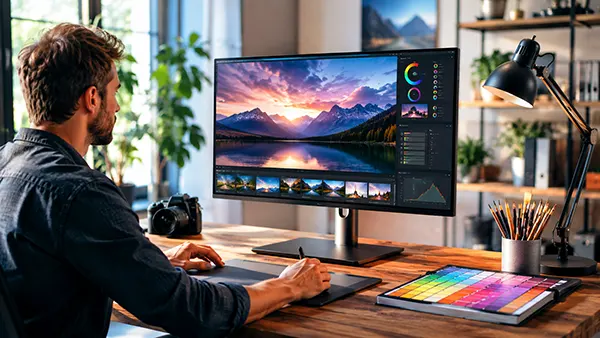
Colour accuracy is another area where OLED technology performs exceptionally well. Factory calibration on professional-grade models frequently delivers Delta E values below 2, which is considered highly accurate for content creation. Hardware calibration support is also becoming more common, allowing photographers and designers to maintain reliable colour consistency across different projects and devices.
Long-term maintenance is relatively straightforward but still important. OLED screens should be cleaned carefully using soft microfibre cloths without aggressive chemical solutions. Excess pressure on the panel surface can damage the delicate display layers. Good ventilation around the monitor also helps maintain lower operating temperatures, which may positively influence long-term panel stability.
How to Choose an OLED Monitor for Work in 2026
Panel resolution and text clarity should be evaluated carefully before purchase. For productivity work, 4K OLED monitors generally provide better font sharpness than lower-resolution ultrawide alternatives. Professionals who spend many hours reading documents or coding may benefit from higher pixel density, especially on screens between 27 and 32 inches.
Connectivity has also become an important consideration. Many modern OLED monitors now include USB-C with power delivery, KVM switches and high-bandwidth DisplayPort 2.1 support. These features simplify workstation setups for laptops, docking systems and multi-device environments. Professionals working with modern GPUs or high-resolution timelines should also confirm bandwidth compatibility for HDR and high refresh rates.
Warranty coverage deserves close attention as well. Several major manufacturers now include specific OLED burn-in protection within their monitor warranties, although terms differ between brands. Checking panel coverage duration, compensation policies and regional service conditions can help avoid unexpected repair costs later. For most professional users in 2026, OLED monitors have evolved from niche luxury products into realistic long-term workstation displays when used responsibly.
Popular topics
-
 Satellite Connectivity in S...
For decades, losing mobile coverage meant losing almost every …
-
 Delta Force Mobile in 2026:...
Delta Force Mobile has two core multiplayer experiences that …
-
 How Modern Browsers Use Har...
Modern browsers no longer rely on the CPU for …
-
 RISC-V for a Home PC in 202...
RISC-V has moved beyond research boards and small embedded …
-
 Android 16 Desktop Mode: Ca...
For years, smartphone manufacturers have promoted the idea that …