
How Modern Browsers Use Hardware Acceleration for Video, WebGPU, Games and Streaming
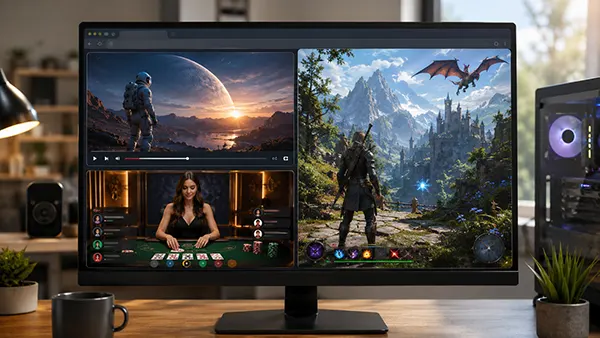
Modern browsers no longer rely on the CPU for every visual task. Hardware acceleration moves suitable work to the graphics processor, helping video, animation and complex pages run smoothly. In 2026, it is common in streaming, browser games and media-rich services.
What Hardware Acceleration Changes in Everyday Browsing
When acceleration is available, the browser can use the GPU for drawing elements, combining visual layers and processing video. This reduces CPU load and can improve frame rates and animation. Firefox describes the feature as using the graphics processor for videos, games and animations.
The same benefit matters on entertainment sites with animated interfaces and streamed content. Among the many online casino websites available to players, Nowaylimit includes browser-accessible sections for slots, live casino and card games, while rendering still depends on the browser, game software and device. Acceleration improves the environment rather than guaranteeing identical performance.
Browsers may disable acceleration when drivers are outdated, hardware is unsupported or stability problems appear. The same page can therefore behave differently on two computers using the same browser.
WebGPU and Browser Games in 2026
WebGPU gives web applications access to modern GPU capabilities with less overhead than older approaches. Chrome has supported it for several years, Safari added it in Safari 26, and Firefox enables it on Windows, with support also reaching Apple Silicon Macs.
For browser games, WebGPU can process complex graphics efficiently. It suits richer 3D scenes and visual effects, while WebGL remains important because it works on a broader range of older devices and established browsers.
WebGPU does not make every game faster by itself. Developers must support it correctly, and browsers can limit features when a graphics adapter lacks required capabilities. A well-optimised WebGL title may still perform better.
Video, Streaming and the Role of the GPU
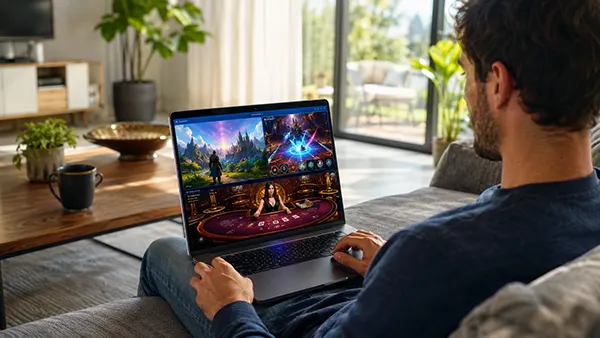
Video playback is another use of acceleration. Supported codecs can be decoded by dedicated hardware instead of relying entirely on the CPU. This can mean smoother high-resolution playback, lower processor load and better battery efficiency.
Streaming requires the browser to combine video, subtitles, controls and page elements into one image. Moving suitable stages to the GPU helps playback stay responsive while other tabs or applications use processor resources.
Acceleration cannot fix every playback problem. A slow connection, limited memory or an overloaded streaming service can still cause buffering or reduced quality. Network delivery and graphics processing remain separate parts of the viewing experience.
Why Performance Still Differs Between Devices
Browser acceleration depends on the browser, operating system, graphics driver and GPU working together. Chrome, Firefox and Safari can make different decisions on similar hardware, while updates may change which graphics features are enabled.
Most users do not need to manage these systems manually. Browsers choose suitable graphics paths automatically and fall back when necessary. If video flickers or games stutter, updating the browser and graphics driver is usually more useful than forcing experimental settings.
By 2026, hardware acceleration is routine in everyday browsing. It helps websites deliver smoother video, responsive graphics and capable browser-based games without placing every task on the CPU.
Popular topics
-
 Satellite Connectivity in S...
For decades, losing mobile coverage meant losing almost every …
-
 Delta Force Mobile in 2026:...
Delta Force Mobile has two core multiplayer experiences that …
-
How Modern Browsers Use Har...
Modern browsers no longer rely on the CPU for …
-
 RISC-V for a Home PC in 202...
RISC-V has moved beyond research boards and small embedded …
-
 Android 16 Desktop Mode: Ca...
For years, smartphone manufacturers have promoted the idea that …