
RISC-V for a Home PC in 2026: Operating Systems and Applications That Already Work
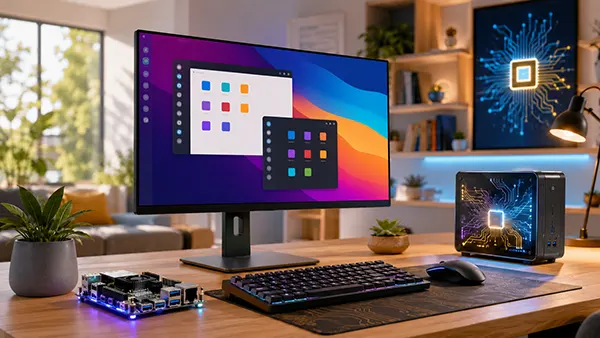
RISC-V has moved beyond research boards and small embedded devices, but a home computer built around this open instruction set still differs sharply from an ordinary x86 or Arm machine. In 2026, the strongest choice is a Linux-based system running software compiled specifically for riscv64. Web browsing, office documents, email, programming, image editing and local media playback are all possible on suitable hardware. At the same time, Windows, many commercial applications, most major games and some graphics-heavy workloads remain unavailable or depend on experimental translation tools. The practical question is therefore no longer whether RISC-V can show a desktop, but whether the operating system, applications and device drivers needed for a particular household are ready. The answer is positive for open-source daily work and technical learning, mixed for multimedia, and still negative for anyone expecting complete compatibility with a conventional gaming or professional Windows PC.
Which Operating Systems Are Genuinely Usable on RISC-V in 2026?
Debian 13 is the clearest general-purpose choice for many RISC-V users in 2026. It is the first Debian release to include 64-bit RISC-V as an officially supported architecture rather than a separate development port. This matters because riscv64 users receive a stable installer, security updates and packages from the same release structure used by Debian on established computer architectures. Debian is not automatically compatible with every RISC-V board, because boot firmware and device support still vary, but it provides one of the broadest software collections available for this type of computer. For a home user who wants a familiar graphical environment, a conventional package manager and long-term access to maintained open-source applications, Debian 13 offers the most balanced starting point. Its main weakness is not the operating system itself, but the uneven quality of hardware support between different boards, laptops and mini PCs.
Ubuntu is another serious option, although the correct image must be selected for the exact device. Canonical provides Ubuntu images for several RISC-V boards and works with hardware manufacturers on additional releases. Ubuntu 24.04.4 LTS remains important because it supports a number of older systems that do not meet the newer RVA23 instruction profile. From Ubuntu 25.10 onwards, RVA23 became the minimum baseline, so a newer Ubuntu image may refuse to run on hardware that works perfectly well with the 24.04 LTS branch. Ubuntu 26.04 LTS strengthens the software side of the RISC-V story, but ready-made images are not universal across existing devices. A buyer should therefore check the download page or the computer maker’s support page before assuming that a generic Ubuntu image will boot with working graphics, Wi-Fi, sound and sleep functions.
Several alternatives are available for users who accept more manual setup. Fedora maintains RISC-V images through its architecture project and is useful for testing recent compilers, libraries and desktop software. openSUSE targets riscv64 and documents working support for selected boards, although its own project pages still invite help with hardware enablement and failed package builds. Alpine Linux has officially supported riscv64 since version 3.20, with standard installation images available from version 3.23; it is compact and efficient, but it is better suited to a lightweight system, server or carefully assembled desktop than to a first-time family PC. FreeBSD also supports riscv64 at Tier 2 in its current release branches. That makes it a valid choice for experienced Unix users, but Linux remains the easier route for desktop applications and wider hardware coverage.
What a RISC-V Desktop Installation Looks Like in Practice
A graphical RISC-V desktop can look familiar. Depending on the distribution and image, users can work with GNOME, KDE Plasma, Xfce or another Linux desktop, open a browser, manage files, connect external storage and install applications through the normal package manager. The visual experience is not the main obstacle. The harder part is making sure the graphics processor, display output, sound controller, Wi-Fi chip and power-management features are supported by the selected Linux image. A board may boot to a command line with no difficulty while still lacking smooth video playback or reliable wireless networking. For this reason, “Linux support” on a product page is not specific enough. A useful description should identify the exact distribution version, the working kernel, the available desktop image and any components that remain disabled.
The difference between a manufacturer image and a generic image can be substantial. Canonical’s information for the DeepComputing RISC-V mainboard used in a Framework laptop, for example, distinguishes between a vendor image intended to support the complete machine and Canonical-built images that may operate only in headless mode without graphics or Wi-Fi. This is a good illustration of a wider rule: software support belongs to a particular combination of processor, board design, firmware and operating-system image. Buying a powerful RISC-V processor does not guarantee a polished desktop. Before purchase, it is sensible to verify working display acceleration, wired and wireless networking, audio, NVMe storage, USB devices and suspend or resume behaviour. These checks are more important than headline processor specifications for a computer that will be used every day.
RISC-V desktop hardware is nevertheless becoming more recognisable as a personal computer. Ubuntu Desktop has shipped pre-installed on specialised RISC-V laptops, mini PCs and development systems, including the newer DC-ROMA models announced with Ubuntu 24.04 LTS. Such machines can reduce installation work because the seller supplies an image matched to the hardware. Even then, expectations should remain realistic. A RISC-V home PC in 2026 is best viewed as a Linux computer for browsing, writing, study, programming, open-source creative work and experimentation. It is not yet a direct replacement for a mainstream Windows or macOS computer used for commercial creative suites, competitive games, specialist business tools or peripherals that depend on closed drivers.
Which Everyday Applications Already Run Natively?
The most encouraging progress is visible in ordinary desktop software. Debian 13 provides native riscv64 packages for Firefox ESR, Thunderbird and LibreOffice, giving users a supported web browser, email client, word processor, spreadsheet application and presentation editor without relying on processor translation. In the stable repositories available in July 2026, Debian lists Firefox ESR 140, Thunderbird 140 ESR and LibreOffice 25.2 for riscv64. These applications cover a large share of everyday home and study tasks. Firefox can handle normal websites and browser-based services, Thunderbird can manage standard email accounts, and LibreOffice can create or edit common Microsoft Office document formats. Complex documents with unusual fonts, macros or advanced Microsoft-specific features may still need checking, but the basic office workflow is already practical.
Native multimedia and creative tools are also much broader than they were a few years ago. Debian 13 publishes riscv64 builds of VLC and mpv for media playback, GIMP for bitmap image editing, Inkscape for vector graphics, Audacity for audio editing and Blender for 3D work. The existence of a package does not guarantee the same performance seen on a powerful x86 workstation. Video decoding, rendering and large-image operations depend heavily on the processor, memory bandwidth and graphics drivers. Simple photo adjustments, diagrams, audio cuts and ordinary video playback can work well on properly supported hardware, while complex Blender scenes, high-resolution effects and demanding codecs may be slow. The native application range is therefore already useful, but the speed of creative work varies much more between RISC-V machines than the software list alone suggests.
Software development is one of the strongest RISC-V use cases. Linux distributions provide native command-line tools, editors, version-control software and common programming languages, while the architecture is already supported by major compiler projects. A user can write code, build open-source applications, run local web services, study operating systems or test software intended for RISC-V devices. Lightweight editors and terminal-based workflows generally cause few problems. Larger integrated development environments may work when all their components have riscv64 builds, but extensions that contain precompiled x86 or Arm code can fail. Browser-based coding tools are a practical alternative because most of the processing happens on a remote server. For students and developers, a RISC-V computer can therefore be productive today, provided the required toolchain does not depend on a closed binary released for another processor.
Where Application Compatibility Still Breaks
There is no official consumer edition of Windows for RISC-V PCs in 2026. Microsoft’s current documentation describes Windows client support around x86, x64 and Arm processors, and its approved processor families do not include RISC-V. A RISC-V computer should therefore be purchased with Linux or another supported Unix-like system in mind. It cannot be treated as a machine on which Windows 11 can simply be installed later. Web versions of Microsoft 365 and other online services can work through a compatible browser, but that is different from running the native Windows applications. The same limitation applies to many specialist accounting, engineering, music-production and business programs whose developers distribute only x86-64, Arm64, Windows or macOS builds.
Translation tools can sometimes run software compiled for x86-64, but they do not remove the compatibility gap. Box64 includes a RISC-V dynamic recompiler and can launch some x86-64 Linux programs on a 64-bit RISC-V Linux system. Its documentation also describes Wine and Proton use, including experimental routes for Windows software. Results depend on the application, graphics support, memory layout and the particular RISC-V processor. Some programs may run surprisingly well, others may start with missing features, and some will not run at all. Translation also consumes extra processing power, which is especially noticeable on lower-cost boards. It is best treated as a useful experiment for one or two necessary applications, not as the foundation of a dependable household computer.
Browser choice provides a concrete example of the remaining gaps. Debian 13 publishes a maintained Firefox ESR package for riscv64, while its stable Chromium package is built for several other architectures but not for riscv64. This means Firefox is the safest default browser on a Debian-based RISC-V desktop. Other Chromium-derived browsers may require community builds, vendor packages or local compilation, and browser extensions that include native components may not work. Streaming services can present another difficulty because protected video often depends on closed content-decryption modules that are not released for RISC-V. Ordinary websites, online documents, email and many web applications are already usable, but a household that depends on a specific browser, commercial streaming service or corporate security extension should verify it before moving daily work to the new computer.
Is a RISC-V Home PC Worth Using Now?
For the right workload, the answer is yes. A supported RISC-V computer can handle web research, email, school assignments, office documents, remote administration, programming, light image work and local media. It can also serve as a quiet secondary machine, a home server with a desktop, or an educational computer that shows how an open instruction set grows into a complete software environment. Users who prefer open-source applications will encounter fewer barriers because these programs can be rebuilt for riscv64 and distributed through Linux repositories. The experience is especially convincing when the hardware maker supplies a maintained image with working graphics and networking. In that situation, daily use can feel much closer to an ordinary Linux PC than the experimental reputation of RISC-V suggests.
It is not a sensible primary computer for every household. Modern commercial games, the native Steam client, Adobe’s desktop applications, many professional audio tools and numerous Windows-only programs do not have official RISC-V editions. Emulation may help in isolated cases, but it cannot promise reliable performance or compatibility. Hardware acceleration also remains inconsistent, so two computers with similar processor specifications may deliver very different results in video playback or desktop responsiveness. Printer and scanner support can be good when devices use standard network protocols, yet products requiring a manufacturer’s closed utility may fail. Anyone whose work depends on a named commercial application or a particular peripheral should check that item first rather than assuming that a Linux version will also include a riscv64 build.
Hardware selection determines whether the system feels practical or frustrating. The safest purchase is a complete computer or board for which the seller publishes a current Linux image, installation instructions and a clear list of working components. Graphics acceleration, Wi-Fi, Ethernet, audio, NVMe storage and USB support deserve explicit confirmation. Adequate memory and fast storage matter because browser tabs and desktop applications can overwhelm small development boards even when the software is compatible. It is also wise to choose hardware with an active user community and regular firmware or kernel updates. A cheaper board with incomplete drivers can require more time and cost more in replacement adapters than a better-supported model. For home use, reliable software support is more valuable than an impressive theoretical processor feature.
A Realistic RISC-V Setup for 2026
A practical general-purpose setup starts with Debian 13 on hardware known to boot its riscv64 installer or a vendor-supplied Debian image. Ubuntu 24.04 LTS is a strong alternative when the manufacturer or Canonical provides an image for the exact device, especially on systems that do not meet the newer RVA23 baseline. Fedora and openSUSE suit users who enjoy testing recent software and reporting issues. Alpine is an efficient choice for a small server or minimalist workstation, while FreeBSD is mainly attractive to experienced users who specifically want its Unix environment. People who are curious but not ready to buy RISC-V hardware can first run a 64-bit RISC-V virtual machine with QEMU on an existing PC and inspect the software collection, installation process and general responsiveness.
After installation, native repository packages should be the first choice. Firefox ESR, Thunderbird, LibreOffice, VLC or mpv, GIMP, Inkscape and a lightweight code editor cover a substantial home workload without translation. Repository packages receive distribution updates and are more likely to match the system libraries than binaries downloaded for another architecture. Web applications can fill some gaps, particularly for communication, cloud documents and remote development. Box64 or Wine can be added later for a specific application, but only after checking compatibility reports and keeping a native alternative available. This order reduces troubleshooting and makes it easier to distinguish a software problem from a driver or hardware issue.
RISC-V is ready in 2026 as a specialised home Linux computer, not as a universal replacement for an established x86-64 PC. Its operating systems are mature enough to boot, update and run a real desktop, and its native application selection already covers many common tasks. The remaining weaknesses are concentrated in proprietary software, games, protected media, closed drivers and inconsistent hardware enablement. Buyers who work mainly in a browser, LibreOffice, open-source creative applications or programming tools can build a useful machine today. Buyers who need exact Windows compatibility should keep an x86-64 or Arm computer as their main device. The most successful RISC-V setup is one chosen for tasks it already performs natively rather than for software that may become compatible later.
Popular topics
-
 Satellite Connectivity in S...
For decades, losing mobile coverage meant losing almost every …
-
 Delta Force Mobile in 2026:...
Delta Force Mobile has two core multiplayer experiences that …
-
 How Modern Browsers Use Har...
Modern browsers no longer rely on the CPU for …
-
RISC-V for a Home PC in 202...
RISC-V has moved beyond research boards and small embedded …
-
 Android 16 Desktop Mode: Ca...
For years, smartphone manufacturers have promoted the idea that …