
Backup Comparison in 2026: System Image vs Synchronisation vs Archive
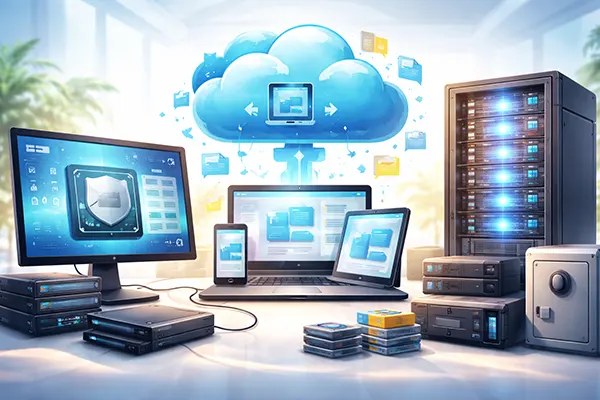
Backups are one of those things most people only take seriously after a failed update, a stolen laptop, or a ransomware scare. In 2026, the choice is no longer just “external drive or cloud”. You’ve got three distinct approaches that solve different problems: a full system image, ongoing file synchronisation, and long-term archival backups. Understanding what each one actually protects is the difference between a quick recovery and a very expensive lesson.
System image backups: the fastest route back to a working machine
A system image is a complete snapshot of your operating system, installed applications, settings, boot records, and usually your data partitions as well. If your SSD dies or Windows refuses to boot, a good image lets you restore the entire computer to a known working state without reinstalling everything. In 2026, this is still the quickest way to recover from major failure when time matters.
System images are especially useful for workstations, gaming rigs, and business laptops that rely on specific software setups. Typical tools include Macrium Reflect (still widely used on Windows), Veeam Agent for Microsoft Windows, Acronis Cyber Protect Home Office, and built-in options such as Windows system image backup (where available) or vendor recovery environments. On macOS, Time Machine is not a “pure” imaging tool, but it can support full restoration with Migration Assistant; many professionals still add dedicated imaging or cloning tools for a true disk snapshot.
The trade-off is size and maintenance. Images are large, so storage planning matters: an image of a 1 TB drive with 400 GB used will usually compress, but it is still a heavy file compared to a document-only backup. Another limitation is granularity: you can mount images and recover individual files, yet that’s not what they’re best at. Their real strength is disaster recovery—getting the whole machine back exactly as it was.
Where system images shine (and where they don’t)
System images are ideal after major configuration work: setting up a new laptop, installing production software, configuring VPNs, certificates, development toolchains, or security policies. Many IT teams keep a “golden image” and then schedule incrementals daily or weekly. If a bad driver update bricks the system, rolling back is straightforward.
They also help when you need a clean rollback point before risky changes. For example, before upgrading from Windows 11 24H2 to a newer build, changing disk encryption settings, or migrating partitions. A system image gives you confidence that you can return to your last stable environment with everything intact—including software licences and configuration files that are painful to rebuild.
However, images are not a complete answer to modern threats. If ransomware encrypts your files and your backup drive is always connected, it may encrypt the backup too. That’s why the 3-2-1 rule still matters in 2026: keep at least three copies of your data, on two different types of storage, with one copy off-site or offline. A system image is powerful, but only if it’s stored safely and tested regularly.
Synchronisation: great for day-to-day file access, not a full recovery plan
Synchronisation tools keep folders mirrored across devices or cloud storage. In practice, this is what most people use daily: OneDrive, Google Drive, Dropbox, iCloud Drive, or self-hosted options like Syncthing. The biggest advantage is convenience—your files follow you from laptop to phone to office PC, often with version history and automatic conflict handling.
Sync is excellent for productivity because it reduces the “single device” risk. If your laptop is stolen, your documents are still available elsewhere. If you accidentally save over a file, many services let you roll back versions. In 2026, most mainstream services also provide basic ransomware detection, file recovery windows, and admin controls for business accounts, which makes sync even more attractive for teams.
The problem is that synchronisation is not the same thing as a backup. Sync will happily propagate mistakes. Delete a folder locally, and it can be deleted everywhere. Corrupt a file, and the corrupted version can replace the good one. You can reduce this risk by enabling versioning, using protected folders, and applying retention policies, but the core behaviour remains: sync is designed to keep things identical, not to keep history forever.
How to make sync safer in 2026
If you rely on synchronisation, treat version history as a safety net, not your only protection. Check the retention period: some services keep deleted files for 30 days by default, while business tiers may allow longer retention. Make sure you understand how to restore a previous version before you need it, and confirm that your plan supports the restore window you actually want.
Use selective sync and permissions thoughtfully. For example, avoid synchronising highly sensitive folders to every device, especially phones or shared machines. If you use a self-hosted tool like Syncthing, protect devices with strong authentication, keep the software updated, and consider read-only replicas for critical folders so that accidental deletion is less likely to spread.
For ransomware resilience, keep at least one copy that sync cannot overwrite. Many organisations combine sync with immutable cloud storage, offline snapshots, or an archive tool. In practical terms: use sync for daily work, but ensure there is another layer that preserves history in a way that cannot be instantly altered by a compromised endpoint.
Archive backups: long-term retention and clean history you can trust
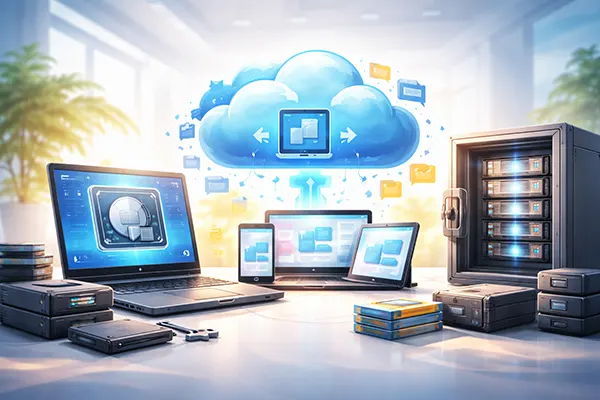
Archival backups are designed for retention, not convenience. Think of them as your “time machine with discipline”: you keep multiple points in time, stored safely, often with deduplication, encryption, and clear retention policies. Common modern approaches include tools like BorgBackup, Restic, Duplicacy, or enterprise systems that store backups in object storage with retention locks.
Unlike sync, archives prioritise integrity and history. You can keep monthly snapshots for years, store them offline, and verify them. This is why archives matter for compliance, financial records, creative work, and projects where you may need to retrieve older versions long after the fact. In 2026, this is also one of the best defences against stealthy threats—malware that sits quietly for weeks before damaging data.
Archives also separate the concept of “working copy” from “protected copy”. Your working documents may change daily through sync, but your archive can remain untouched and verifiable. Many archive tools support incremental backups with deduplication, meaning you can keep a long history without storing full duplicates each time. This keeps storage use predictable while maintaining strong recovery options.
Choosing retention, storage, and verification for archives
A useful archive strategy starts with retention rules. A common pattern in 2026 is a mix such as: daily snapshots for 14–30 days, weekly snapshots for 2–3 months, and monthly snapshots for 1–7 years depending on personal or business needs. The point is to have enough history to recover from slow-moving problems, not just yesterday’s mistakes.
Storage choice matters as much as the software. External drives are fine for an offline copy, but they need rotation and physical care. NAS devices are convenient, but should be hardened and ideally backed up again to an off-site destination. Cloud object storage works well for archives when combined with encryption and retention locks; the key is making sure your archive cannot be silently modified by a compromised account.
Finally, verification is non-negotiable. Archives should be tested on a schedule: restore a few files, check checksums, and confirm the process is documented. The best backup plan is the one you can actually execute under stress. In real life, a verified archive plus either a system image or sync (depending on the workflow) gives the most balanced protection for 2026.
Beliebte Themen
-
 T Frostpunk Mobile — Behält...
Frostpunk hebt sich seit jeher als anspruchsvolles Strategiespiel hervor, …
-
 AFK Journey — Fortschrittss...
AFK Journey, weltweit veröffentlicht von Lilith Games im Jahr …
-
 OpenTelemetry in der Produk...
Im Jahr 2026 sind verteilte Systeme der Standard und …
-
 Rate limiting und Schutz vo...
Rate limiting ist eine Massnahme, die auf einem Diagramm …
-
Backup Comparison in 2026: ...
Backups are one of those things most people only …